A workout plan that changes when your body does.
Most workout apps hand you a template on day one and never touch it again. Fit4i builds a program from your goal, level, equipment and schedule — then keeps adjusting it as you train, based on how your sessions actually go and how recovered you are.
Don't want a plan at all? Pick "I train on my own" on the first screen — log sets, save any workout as a routine day, and switch to Build My Plan later; your logged weights become the plan's starting weights.
What actually shapes your plan
Your goal
Lose fat, build muscle, recomposition or pure strength — the program's rep ranges, rest and progression scheme change accordingly.
Your equipment
Full gym, home dumbbells, or bodyweight only. Toggle individual equipment on and off and the plan rebuilds around it.
Your experience level
Beginner, intermediate or advanced — this sets training volume and how quickly the program ramps up.
Your available time
Tell Fit4i you have 20, 30 or 45 minutes today. It compresses rest and trims accessories first — your main lift is never touched.
Automatic progression
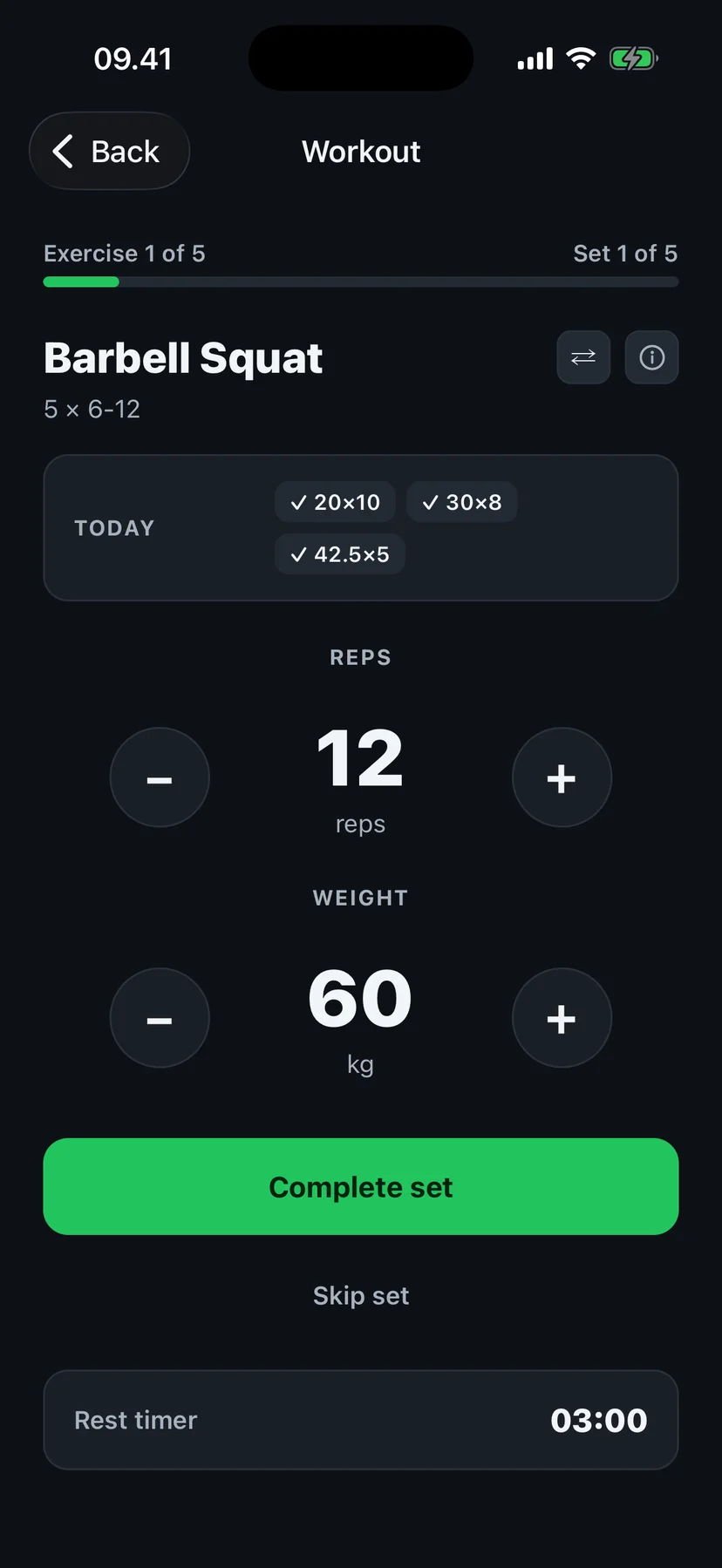
Fill the rep range and the weight steps up — on an auto-built plan or on a routine day you saved yourself. Volume waves and deloads are part of Fit4i Pro.
Exercise swaps
Machine taken, or you just don't like an exercise? Swap it mid-workout for an alternative that trains the same muscles.
Comeback mode
Missed a few days? No guilt screen — the muscles that fell behind catch up.
Full editing control
Change any generated program — days, exercises, sets, reps — or enter a written program. Editing is free.
Built on sports science, not guesswork
Fit4i's training engine follows proven programming principles — progressive overload, volume periodization and planned deloads — the way an experienced coach would structure a training cycle. It is a rules-based engine, not a generative chatbot inventing your workout on the spot — see exactly how progression, volume and periodization are calculated. Fit4i's AI is used for photo-based food recognition — a separate feature that works alongside the program builder.
An example
- High readiness— a normal or progressive session; weights move up when you've earned it.
- Low readiness — reduced volume, easier intensity, or a recovery-focused alternative.
These are recommendations from your recovery data — you decide what to actually do. Auto-generated programs, day-by-day recovery tuning and early deloads are part of Fit4i Pro — 14 days free, no card. Logging on your own, routine days with slot targets and their automatic weight steps, the readiness ring and an easier day when recovery is poor are free.
Frequently asked questions
Does Fit4i use AI to build my program?
Fit4i's program builder is a rules-based training engine grounded in established strength-training principles — goal, level, equipment, schedule and recovery feed into it, the same way a coach would plan a training cycle. It is not a generative AI chatbot writing your workout from scratch. Fit4i's AI is used elsewhere in the app — estimating macros from a food photo.
Can Fit4i generate workouts for home and gym?
Yes. Programs are built around your equipment — full gym, home dumbbells, or bodyweight only — and you can toggle individual equipment on and off at any time.
Can I edit a generated workout?
Yes, fully. Change exercises, sets, reps or entire days, or enter a written program. This is free for everyone, though an edited or written program won't follow the same automatic volume-wave periodization as an auto-generated one.
Can I use Fit4i without a generated program?
Yes. "I train on my own" on the first screen drops you into an empty workout — no wizard. Finish a workout and Fit4i asks "Save as a routine day?"; saved days get targets and the weight steps up when you fill the rep range. Switch to Build My Plan any time from the Home menu.
Get a plan that keeps up with you.