Turn Apple Watch recovery data into today's workout.
An Apple Watch already collects heart-rate, sleep and activity data every night. Most of that sits unused in the Health app. Fit4i reads it — with your permission — and turns it into a single, concrete answer: what today's workout should look like.
What Fit4i reads from Apple Health
With your explicit permission in the HealthKit dialog, Fit4i reads:
- Heart-rate variability (HRV)
- Resting heart rate
- Sleep stages and duration
- Blood oxygen (SpO₂)
- Steps and active energy
Access is read-only — Fit4i never writes anything back to Apple Health, and you choose exactly which data types to share in the permission dialog. You can review or revoke access at any time in iOS Settings.
Apple Watch is one source among several
Any device or app that writes to Apple Health feeds the same pipeline — an Apple Watch is simply the most common source. Fit4i also supports a direct connection to Polar devices. Fit4i is not made or endorsed by Apple; Apple, Apple Watch and Apple Health are trademarks of Apple Inc.
When a signal is missing or stale
Wearable data isn't always complete — a Watch left on the nightstand, a skipped night of sleep tracking. When that happens, Fit4i doesn't guess: it either works with whatever signals are available, or falls back to a quick manual check-in rather than basing a recommendation on data that's missing or too old.
No Apple Watch? Fit4i still works.
Connecting Apple Health is optional. Without it, a 10-second morning check-in — how you slept, your energy — feeds the same adaptive logic. And a “feeling unwell” flag eases the day's plan, with or without a wearable connected.
From recovery data to a workout recommendation
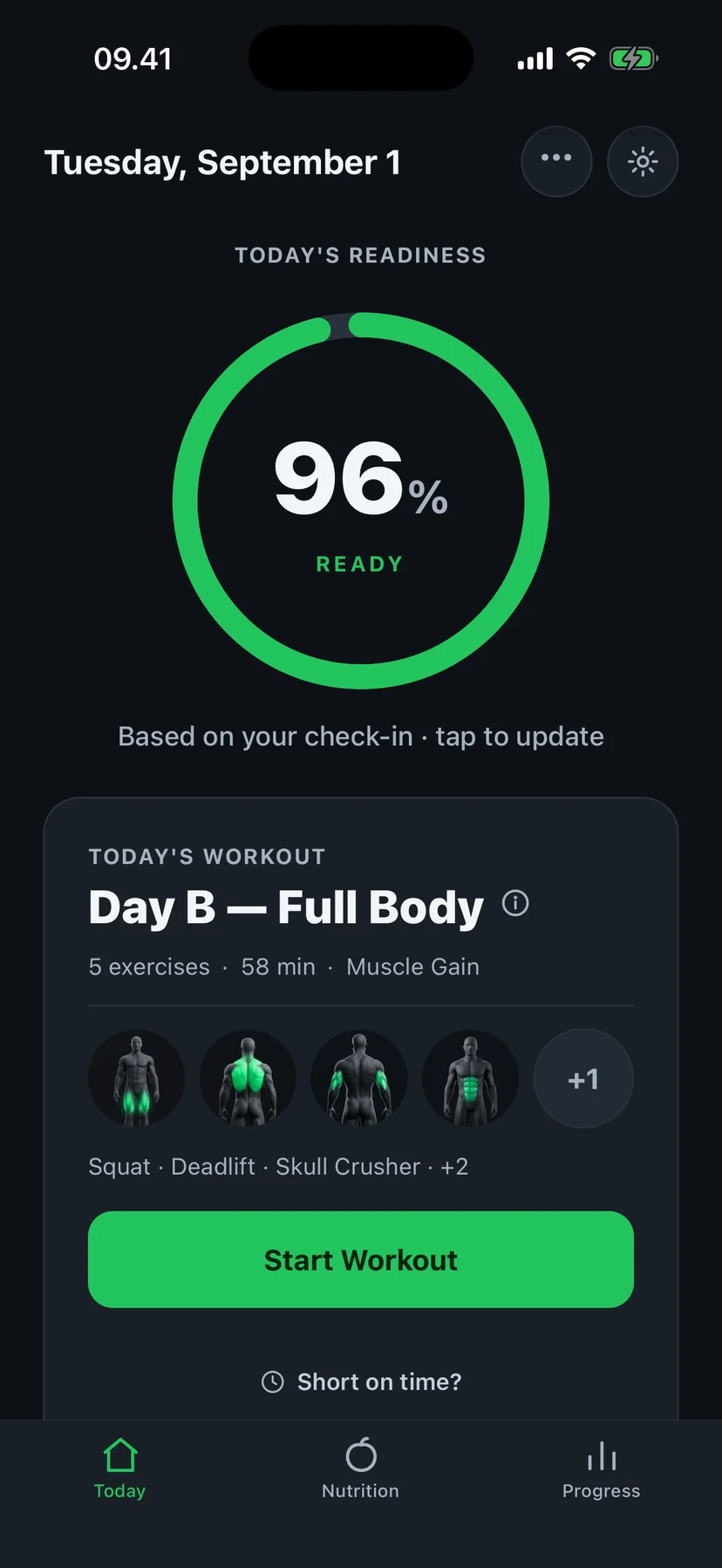
Readiness comes down to one of three verdicts, each with a concrete effect on today's session:
- Ready — the full session as planned.
- Balanced — the session stays, volume trimmed by roughly a quarter.
- Recover — an easy day, so tomorrow can be productive.
Connecting Apple Health is free, and so is the readiness ring it feeds. When recovery is poor — by sensor or by check-in — the session is eased for everyone, free or Pro. Tuning the in-between days and early deloads are part of Fit4i Pro. These are training recommendations, not a medical assessment.
Frequently asked questions
Do I need an Apple Watch specifically?
No. Fit4i reads whatever data is available in Apple Health — from an Apple Watch or from most other trackers that sync to Health. Polar devices can also connect directly, without going through Apple Health at all.
What if I don't have any wearable?
Fit4i still works. A short morning check-in — how you slept, how you feel — drives the same adjustment logic that wearable data would, and it's built into the app for exactly this case.
Can I disconnect Apple Health later?
Yes, at any time, in iOS Settings → Privacy & Security → Health → Fit4i. Revoking access doesn't delete your Fit4i account or training history — Fit4i simply stops reading new health data.
Let your Apple Watch data do more than sit in the Health app.
Or read how Fit4i weighs HRV against your personal baseline.