How to use Apple Watch data for workout readiness
Published July 16, 2026 · Updated August 29, 2026 · Fit4i Editorial Team
Fit4i creates evidence-informed training and recovery content based on publicly available research and established strength-training principles.
An Apple Watch quietly collects more recovery-relevant data overnight than most people ever look at. It doesn't ship with a built-in readiness score, but the raw inputs — heart-rate variability, resting heart rate, sleep stages — are all there in the Health app, via Apple's own heart-rate and sleep tracking features.
What's actually worth looking at
- Heart-rate variability (HRV) — captured overnight, reflects how your nervous system is balancing stress and recovery.
- Resting heart rate— a slow upward drift over several days is a more useful signal than any single morning's number.
- Sleep duration and stages — total time asleep and how much was spent in deeper stages.
- Blood oxygen (SpO₂) — available on watches that support it, another input into an overall picture.
Read trends, not single days
Apple's own guidance on heart-rate tracking treats a single reading as one data point among many, not a verdict — and that applies just as much to HRV and resting heart rate. A day where HRV dips slightly is common and often meaningless. What's actually informative is the combination: resting heart rate creeping up while HRV trends down while sleep is shorter than usual, over several days. Any one of those alone is easy to over-interpret.
The Apple Watch blind spot
A watch measures physiology; it doesn't know your training plan, how heavy last night's dinner was, or whether you're simply stressed about something unrelated to exercise. Numbers are a useful input, not a replacement for noticing how a warm-up set actually feels.
Turning the data into a decision
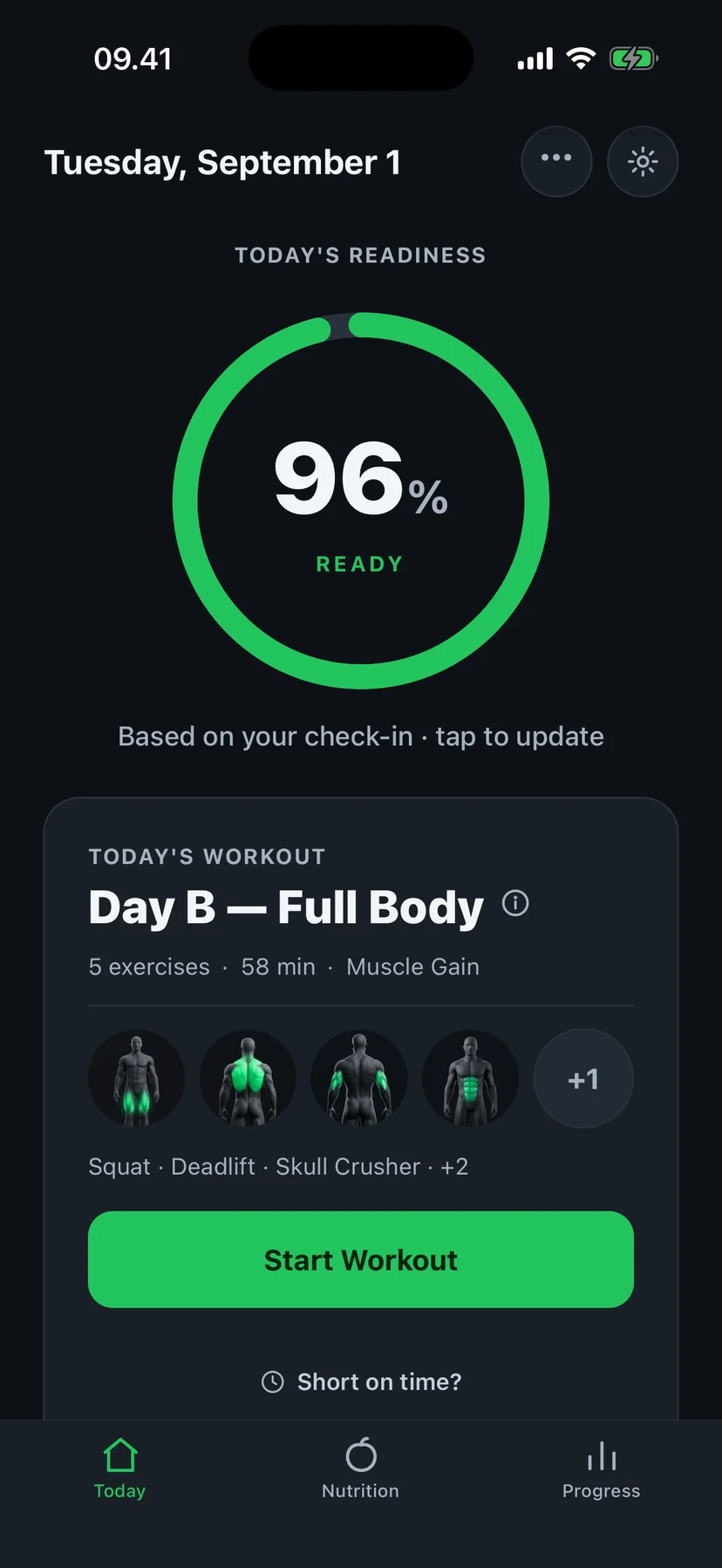
This is the gap Fit4i's Apple Health integration is built to close — reading the same HRV, resting heart rate, sleep and blood-oxygen data already sitting in your Health app, comparing it to your personal baseline, and turning it into one clear recommendation for today's session instead of a wall of numbers to interpret yourself.
Sources & methodology
Guides are written against publicly available research and established strength-training principles, and reviewed for accuracy against how Fit4i actually works before publishing. The sources below informed this article:
Related guides
HRV
Should I Train With Low HRV?
A low HRV reading doesn't automatically mean skip the gym. How to read it in context, and when it's actually worth backing off.
HRV
HRV vs Resting Heart Rate for Workout Recovery
Two related but different recovery signals, what each is better at catching, and why looking at both beats picking one.
Recovery
How to Adjust a Workout When Recovery Is Low
Practical ways to scale a session down instead of skipping it entirely — and how to tell the difference between tired and unwell.
See what your Apple Watch data means for today's workout.